
Trial, pricing and billing
BlueOneHR has one paid plan. There are no separate Starter, Standard or Enterprise tiers to choose between — signing up gives you the whole platform, and pricing scales with how many employees you have rather than which features you picked.
Starting a trial
Sign-up asks for a work email, sends a six-digit code to confirm it, then provisions a workspace with the full platform switched on — there is no plan-selection step. If you already have a workspace, the same screen offers Sign in instead rather than starting a second one.
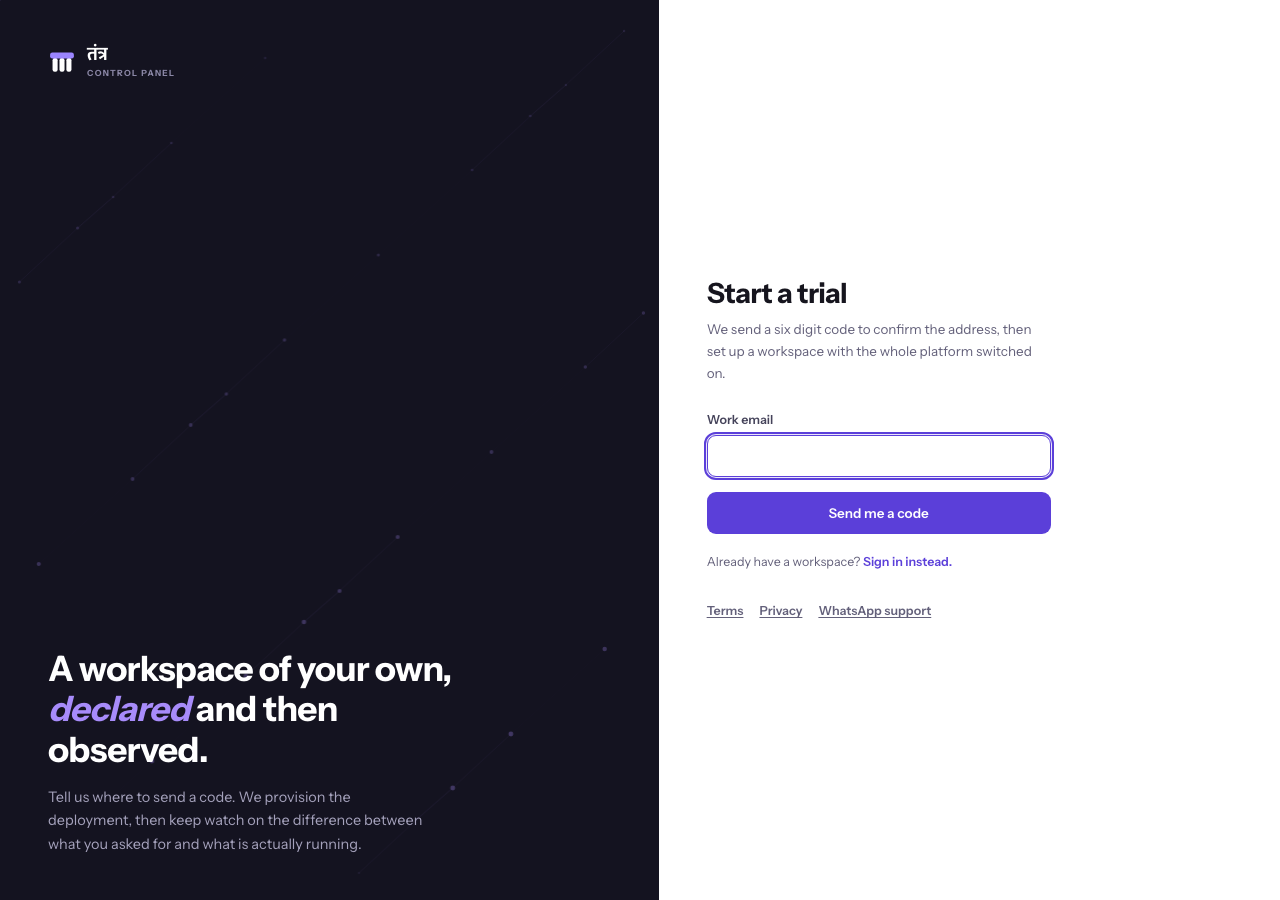
The verification-code and provisioning steps that follow were not exercised in this pass — completing them creates a real workspace — and remain to be verified in a controlled, explicitly authorised session.
During the trial
Your trial runs for 30 days. While it runs, a banner across the top of BlueOneHR reads "Free trial. Your workspace is fully available.", with a Talk to sales link that opens an e-mail to the sales address, and a small × button at the right end.

- It shows no day count and no end date. The banner has no "days left" figure and no date, so it cannot be used to work out when your trial ends. The banner is built to show days left and an end date when the workspace has been given them, but that was not seen on the workspaces checked.
- The × button hides it. Its tooltip reads "Hide this until you sign in again". When checked, the banner stayed hidden after a reload and on other pages in the same browser tab, and came back in a new tab. Whether signing out and back in inside the same tab brings it back was not confirmed.
- An Upgrade button appears on some workspaces. Where it is shown, it sits beside Talk to sales, and its link goes to the billing portal sign-in page described under Invoices and payment below (the link was not followed). The demo workspace shows Talk to sales only. The Upgrade button appears only when the workspace has been given an upgrade address, so whether your workspace shows it is not something this page can promise.

When the trial ends, nothing is deleted. Your workspace is suspended until you convert to a paid subscription and pay, and paying restores the same workspace. Your billing account stays reachable so you can convert after the trial has ended. There is no grace period.
Pricing
| Price | ₹75 per employee per month |
| Minimum | 20 employees (so the smallest bill is for 20 employees, even with fewer) |
| Volume discount | 2% off for each additional block of 20 employees above the minimum, up to a maximum of 20% off |
| Effective floor | ₹60 per employee once you reach the 201st employee, where the discount reaches its 20% maximum |
| Tax | Applicable taxes, if any, are shown separately before payment. The prices above are before tax |
The discount is a straightforward step schedule, not a formula you need to calculate by hand at sign-up: BlueOneHR applies it automatically as your employee count crosses each block of 20.
Which employees are counted. You are billed for the active employees in your BlueOneHR workspace, counted at the start of each billing period, with a minimum of 20. The pricing page on the BlueOneHR website defines them like this: "An employee counts as active until their record is archived." Employees added or removed during a period affect the next period; there is no mid-period proration.
Invoices and payment
Invoices are handled through a separate billing portal, not inside BlueOneHR itself. The portal uses your billing email rather than a password: enter it, and a sign-in link is emailed to you.
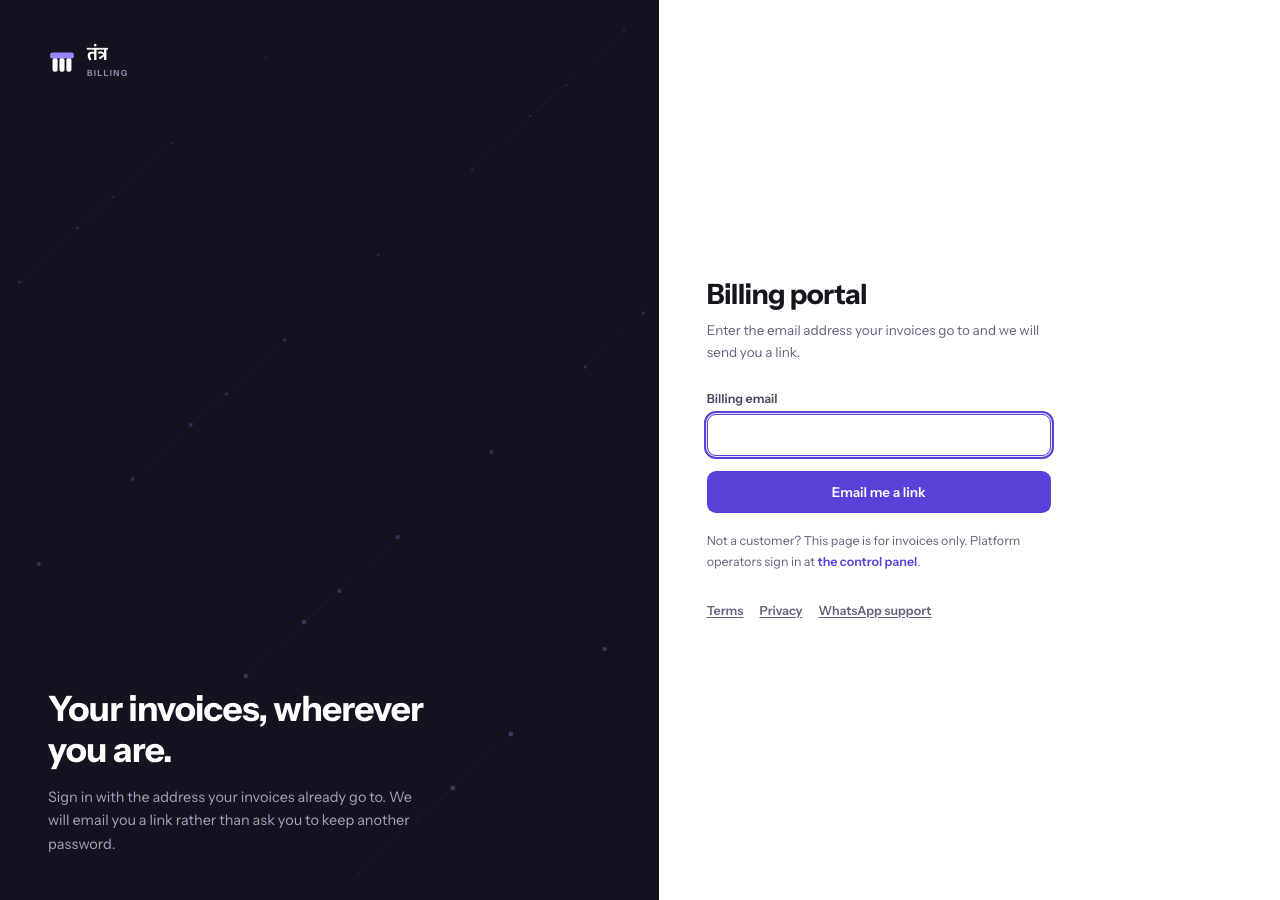
Paying an invoice online is not something this page can describe yet. The pricing page on the BlueOneHR website says: "Invoices are payable through the billing portal or by the method agreed with you in writing. Online payment through the billing portal is being enabled and is not yet available to everyone." That is the most this page can say about paying online. What the portal shows after you sign in, and the online payment flow itself, were not exercised in this pass, because doing so would involve a real payment action; they should be verified and documented separately, with a test transaction explicitly authorised rather than attempted incidentally while writing documentation.
Notes
- This page documents the plan as it stands today. If your organisation was set up before this pricing model, or under a special arrangement, your actual billing may differ — check your invoice or ask your account contact rather than assuming this page overrides what you were actually sold.
- Talk to sales, visible on the trial banner, is the route to a paid subscription on every workspace checked. Some workspaces also show an Upgrade button that opens the billing portal sign-in page. Confirm which applies to you before telling a customer to look for an Upgrade button.
No comments to display
No comments to display