
Your KYC details
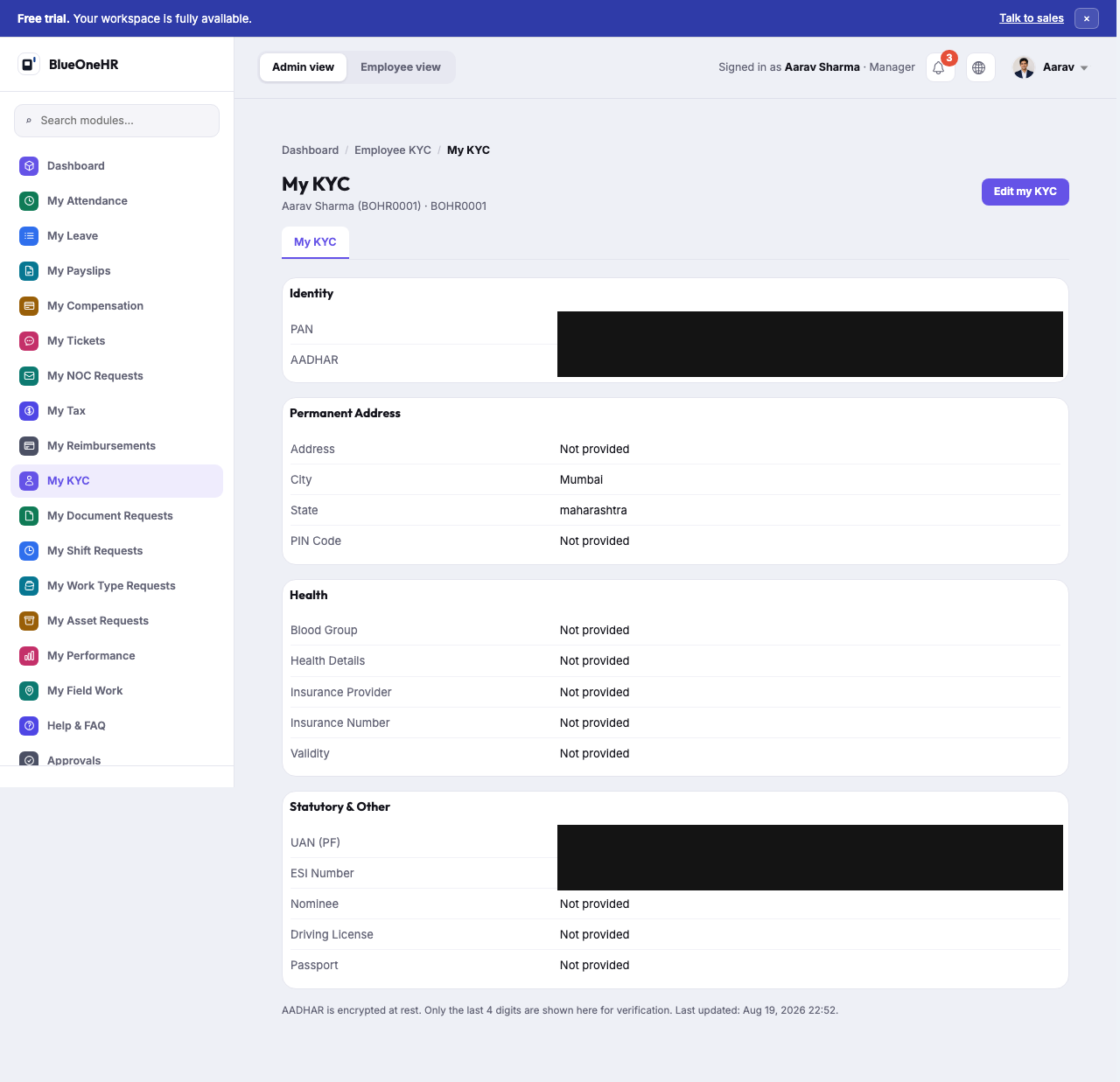
My KYC is the My KYC entry in the sidebar (the page sits under Employee KYC in the breadcrumb). It holds your identity and statutory details. Re-checked against the live screen on 2026-09-26.
Every screenshot on this page has its sensitive fields redacted (solid black boxes). This is a deliberate, permanent editorial choice for this screen, not a placeholder waiting to be replaced — see "Why this screen is redacted, always" below.
The sections
| Section | Carries |
|---|---|
| Identity | PAN and Aadhaar. |
| Permanent Address | Address, City, State, PIN Code. |
| Health | Blood Group, Health Details, Insurance Provider, Insurance Number, Validity. |
| Statutory & Other | UAN (PF), ESI Number, Nominee, Driving License, Passport. |
Edit my KYC (top right) opens a form with a field for each detail. The form has Cancel and Save KYC buttons at the bottom; Cancel returns you to My KYC without saving. UAN and ESI Number appear on the form as read-only text, not as inputs. A footer note on My KYC states: "AADHAR is encrypted at rest. Only the last 4 digits are shown here for verification."
What was actually filled in, on the test account
On the account used for the check, PAN, City, State, UAN (PF) and ESI Number had values; Aadhaar showed a dash, and every other field (Address, PIN Code, all of Health, Nominee, Driving License, Passport) showed Not provided. Do not assume every field is populated for every employee; a sparse KYC record like this one appears to be normal, not broken.
Why this screen is redacted, always
PAN and Aadhaar are government-issued identity numbers. Even though the values on the sample account are synthetic, they are in the real format those identifiers take, and this documentation treats any screen holding them the same way it would a real employee's — never published unredacted, regardless of whether the underlying data happens to be synthetic. This capture additionally redacts UAN (PF) and ESI Number for the same reason: both are real-format statutory identifiers, not ordinary configuration data. Do not add an unredacted version of this screenshot to the corpus later, even if a future capture uses different sample data.
Not confirmed
- Whether changes saved with Save KYC show up straight away, and any approval step: nothing was saved while checking.
- What the page shows for a full Aadhaar number (the checked account had none on file).
- Any bank details: the My KYC page and its edit form have no bank field.
Related
- Your own dashboard — where My KYC sits among the rest of the My… sidebar.
No comments to display
No comments to display