
Help Desk and FAQs
Help Desk covers support tickets and a company FAQ. The screens below are shown as an HR Head sees them on the demo workspace.
The pieces
| Screen | What it is for |
|---|---|
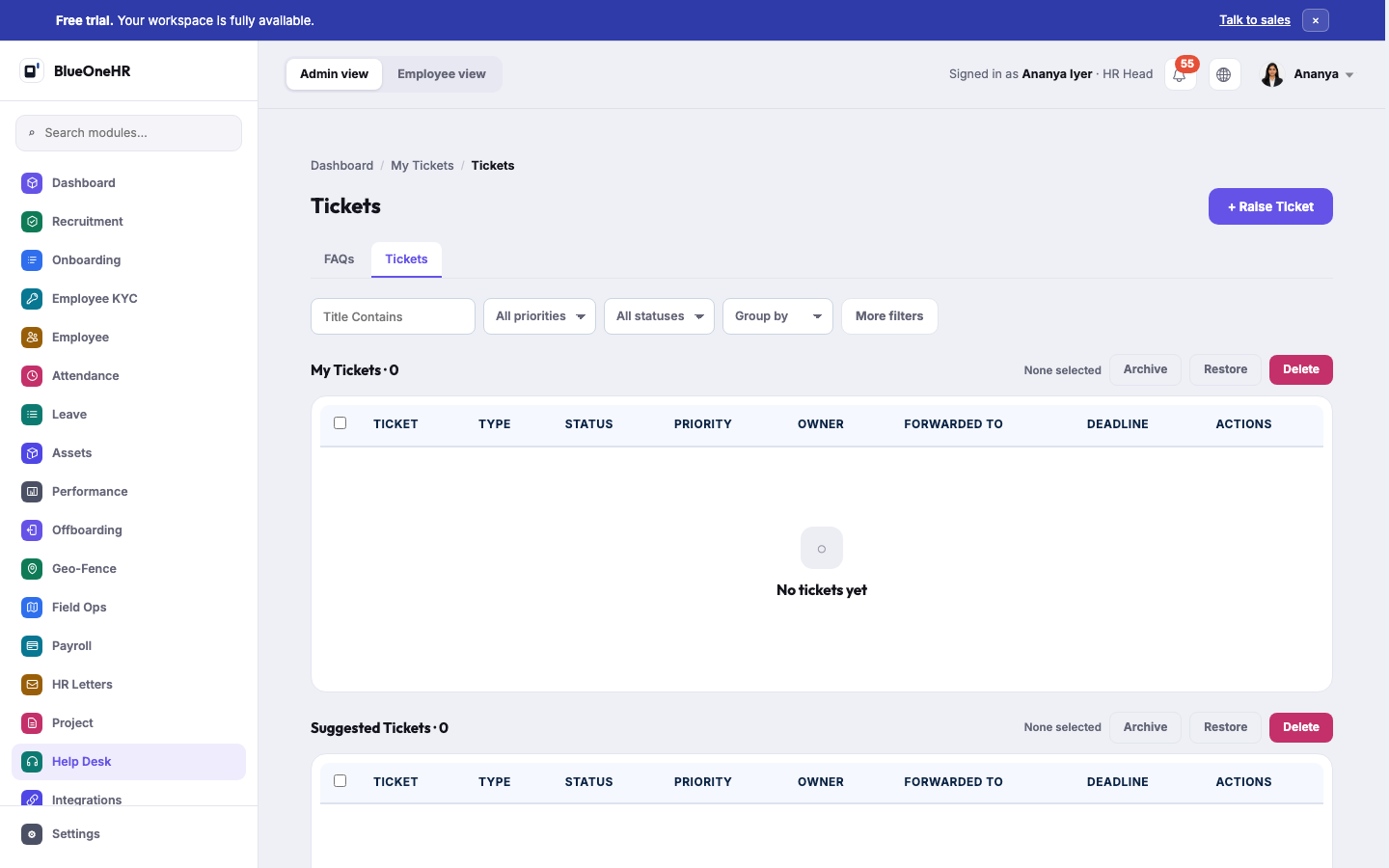
| Tickets | Support tickets, on one page in up to three sections: My Tickets, Suggested Tickets and All Tickets (described below). Filterable by title, priority, status, and more, and can be grouped by owner, ticket type, status, priority, tags, assigner or company. |
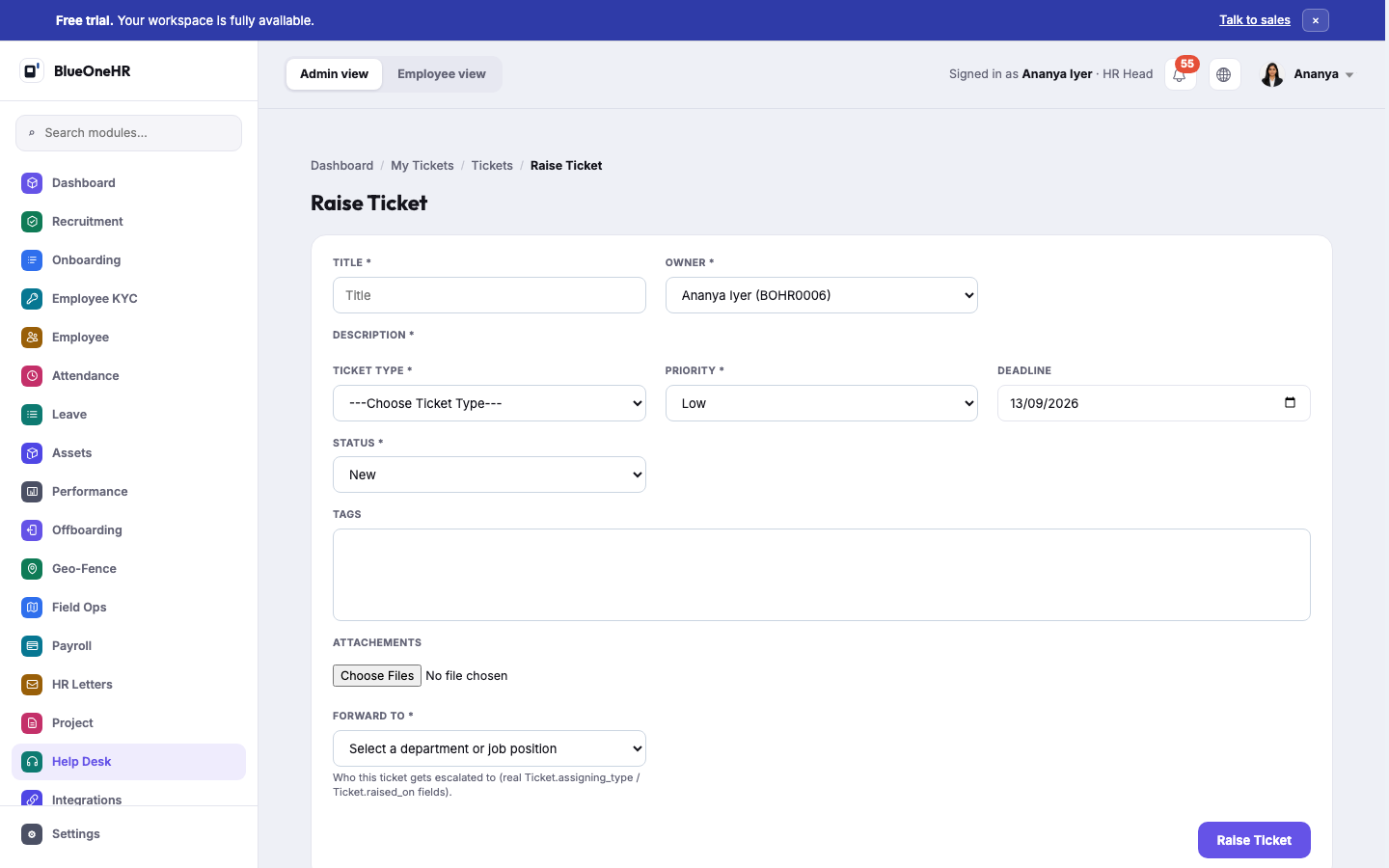
| Raise Ticket | A form: Title, Owner, Description, Ticket Type, Priority, Deadline, Status, Tags, Attachments, and Forward To, where the ticket goes: a department, a job position or a named person. |
| FAQs | FAQ categories, each holding individual FAQ entries — the company's own knowledge base. |
Raise a ticket
An employee raises a ticket from the Tickets page: select + Raise Ticket at the top right.
- Title (required): a short, clear summary. Owner is required too; for an employee it offers only their own name.
- Description (required): a text editor with formatting buttons. Write what is wrong.
- Ticket Type (required): choose from the list. The test workspace used for this page offered only IT Support.
- Priority: Low, Medium or High. It starts on Low.
- Deadline starts on today's date. Status starts on New. Tags and Attachments are optional.
- Forward To (required): a department, a job position or a person. Then select Raise Ticket.
BlueOneHR opens the new ticket's own page with the message "The Ticket created successfully." The ticket then appears in My Tickets with the status New. The ticket page has a Status selector with New, In Progress, On Hold, Resolved and Canceled, plus Edit, Archive and Delete buttons, an attachments box and a comments box.
The three ticket sections
The Tickets page lists tickets in up to three sections one below the other, each with its own count in its heading and the same columns: Ticket, Type, Status, Priority, Owner, Forwarded to, Deadline and Actions (a View button per row).
| Section | What it lists |
|---|---|
| My Tickets | Tickets you own or raised yourself. |
| Suggested Tickets | Tickets forwarded to your department, to your job position, or to you personally. |
| All Tickets | Every active ticket in the workspace. It appears only for accounts that are allowed to view all tickets. |
Signed in as the HR Head on the demo workspace, My Tickets and Suggested Tickets were both empty and All Tickets held 12. Signed in as the demo manager, only My Tickets and Suggested Tickets were shown and there was no All Tickets section.
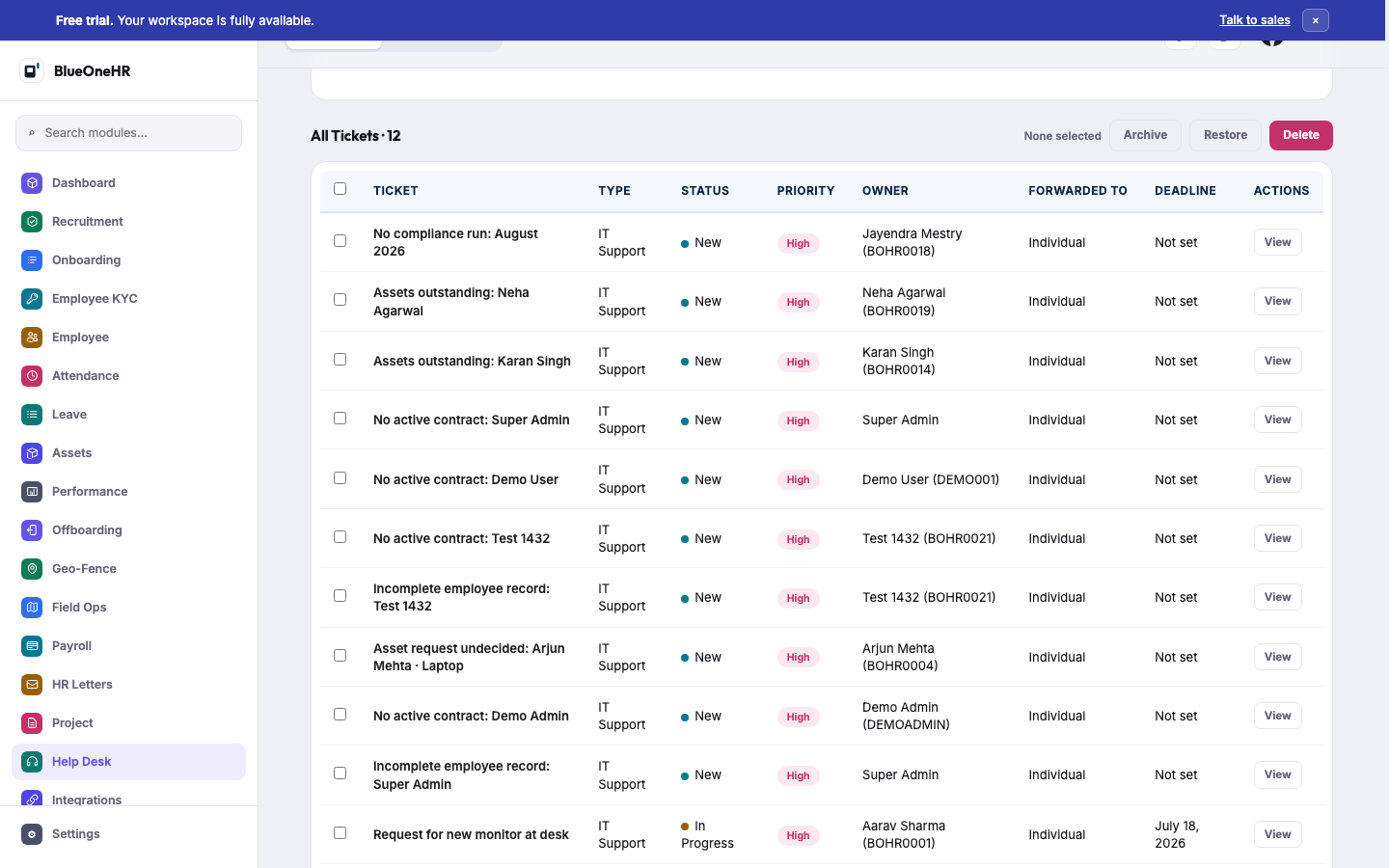
Some of the tickets in All Tickets were raised automatically rather than by a person, for example "No compliance run: August 2026", "No active contract: ..." and "Assets outstanding: ...", alongside ordinary human-raised tickets such as "Request for new monitor at desk". This confirms that Mitra writes real tickets into Help Desk (see What Mitra is); a ticket Mitra raises is an ordinary ticket like any other in these lists.
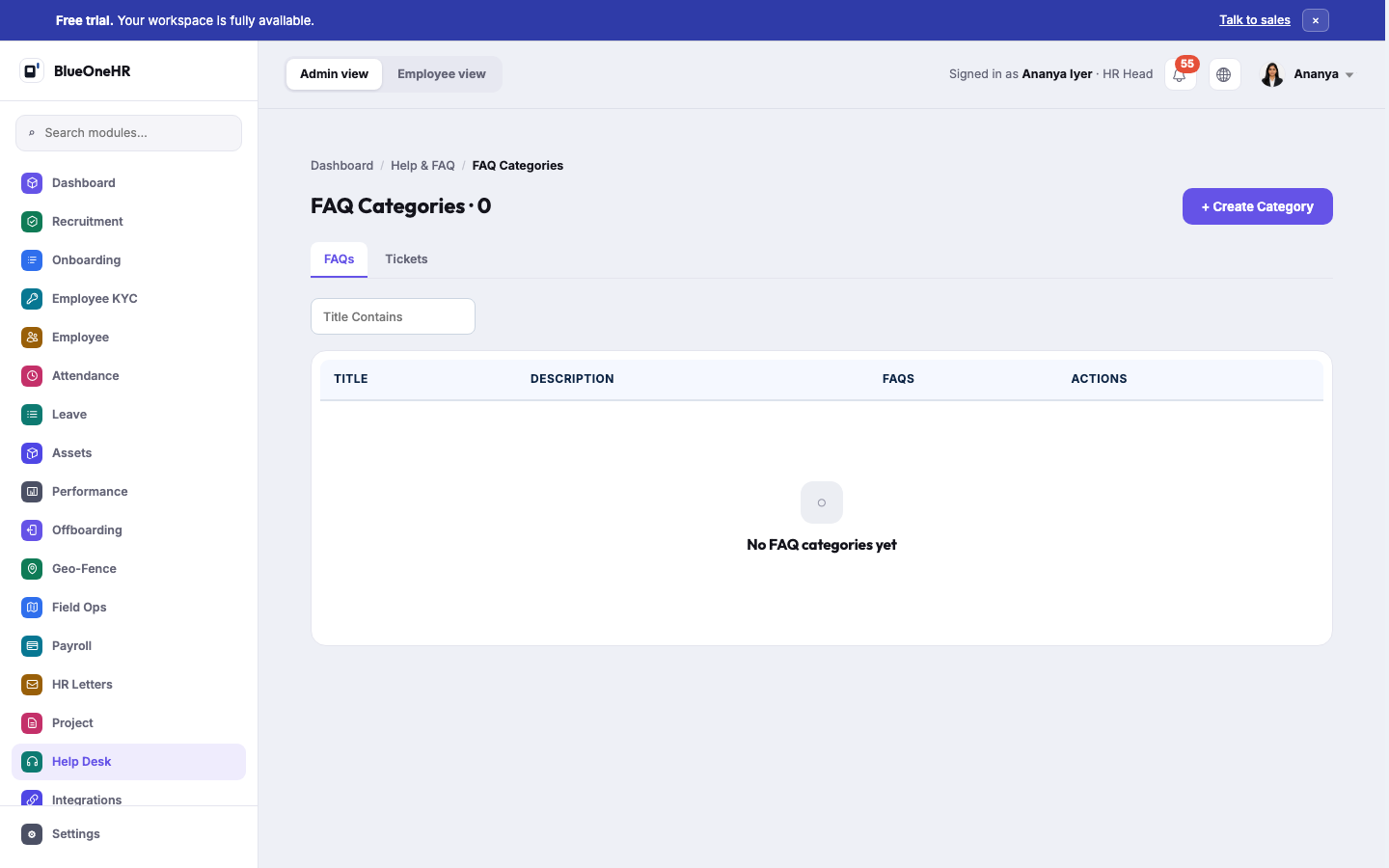
No FAQ categories had been configured on the demo workspace at the time of capture — the FAQ side of this module exists but had no content to show.
Related
- What Mitra is — for how automated Help Desk tickets get raised, and the 9 scopes Mitra can observe.
Not confirmed
- Who is notified when a ticket is raised, and how a ticket is assigned after Forward To is chosen.
- What Forward To does for each kind of choice (department, job position, person) beyond what the Forwarded to column shows.
- Uploading an attachment, adding tags, and posting a comment were not tried.
- Which ticket types other workspaces offer.
- Which accounts may change a ticket's status, and what each status does.
No comments to display
No comments to display