
Checking your attendance
Attendance → My Attendances shows everything recorded for you. It has three views, and they answer three different questions.
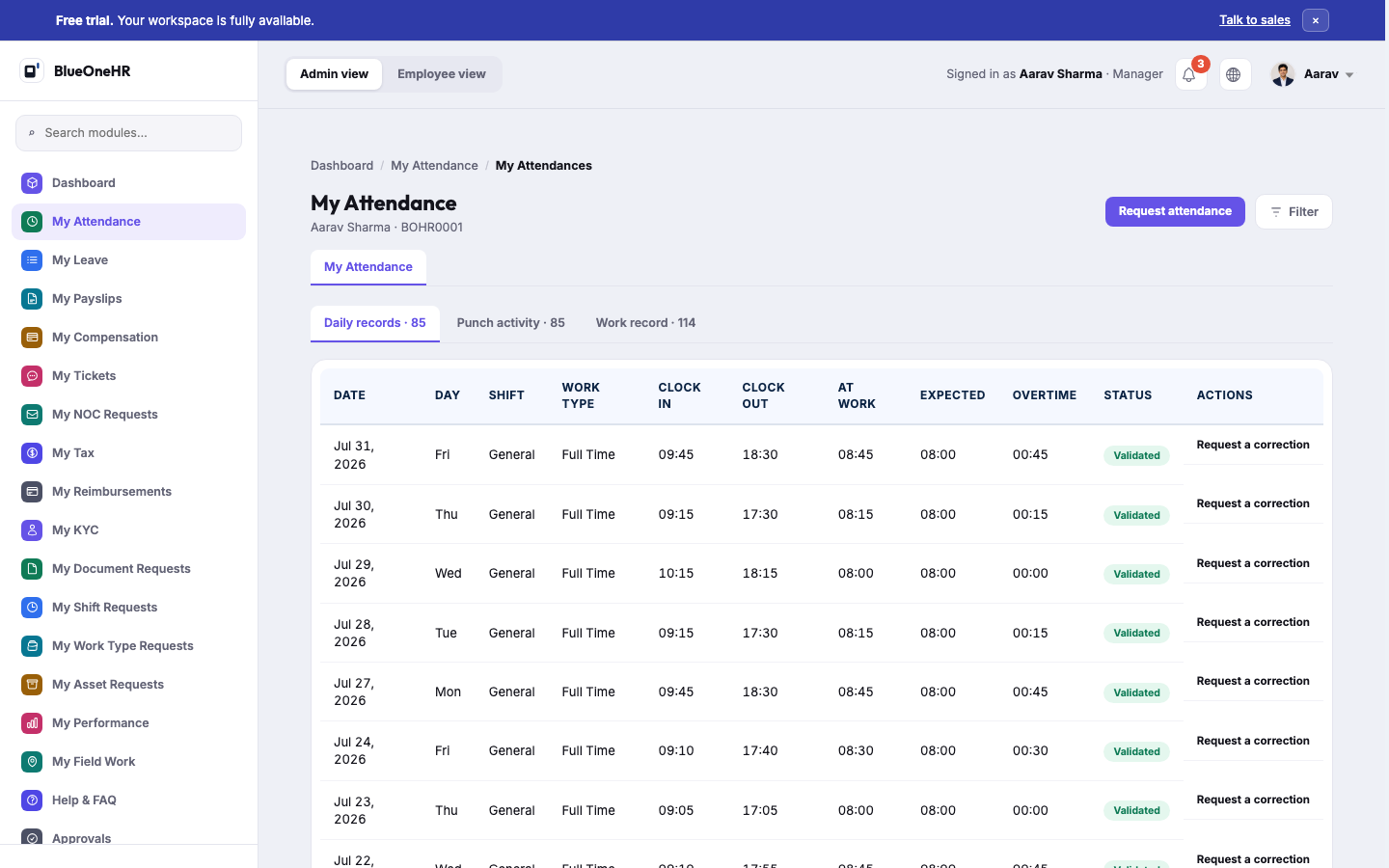
(Screenshot added 2026-09-14, verified live on demo.blueonehr.com — this page predates the screenshot pipeline built in the P0.5 pass. Every visible row on this account showed Validated, consistent with the reviewing-attendance guidance's own before-payroll checklist.)
Daily records
The default view: one row per working day, and the one to use for almost everything.
| Column | What it tells you |
|---|---|
| Date | The working day. |
| At work | The hours actually recorded for you. |
| Expected | The hours your shift expected. |
| Overtime | Time beyond the expectation. |
| Status | Whether the day has been confirmed. |
The status is either Validated, meaning someone has confirmed the day, or Pending validation, meaning nobody has looked at it yet. A day may additionally show Change requested, which means you have asked for a correction and it is waiting to be reviewed.
Each row offers Request a correction. Once you have used it, the row shows Awaiting review instead, so you can tell at a glance which days you have already raised.
Punch activity
The raw log behind the daily records: every clock-in and clock-out, with its Source.
Use this when a daily total looks wrong and you want to see why. A missing clock-out shows here as Still clocked in.
Where a punch crossed midnight, the date it actually happened on is shown next to the time, so an overnight shift does not look like a mistake.
Work record
How each day was counted for payroll.
A day marked Draft here has not been finalised yet. That is not the same as being marked absent — it means the calculation is not closed. Days that have no record at all show as Not recorded.
Filtering
Each view can be narrowed to a date range, which is the quickest way to check a single month before payroll closes.
If a day is wrong
See Requesting a correction. Employees do not edit attendance records directly; corrections go through review, which is what keeps the record trustworthy for payroll.
No comments to display
No comments to display