
Reviewing and validating attendance
Attendance records become payroll figures, so somebody has to confirm them. In BlueOneHR that confirmation is called validation, and it is the main thing an HR administrator does in this module each month.
Start at the dashboard
Attendance → Dashboard opens on what needs attention rather than on statistics:
- Pending validation — days recorded but not yet confirmed.
- Attendance requests — corrections employees have raised.
- Overtime pending approval — extra hours waiting on a decision.
Work these down and the month closes cleanly. Leave them and payroll inherits the backlog.
The screens
| Screen | Use it for |
|---|---|
| Attendances | Every daily record in the organisation. The main review surface. |
| Attendance Requests | Corrections employees have raised, with the reason they gave. |
| Attendance Activities | The raw punch log. Use it when a total looks wrong. |
| Hour Account | Hours accumulated over a period. |
| Work Records | How each day was counted for payroll. |
| Late Come Early Out | Days that started late or finished early. |
| Bulk Import Attendance | Loading records from a spreadsheet. |
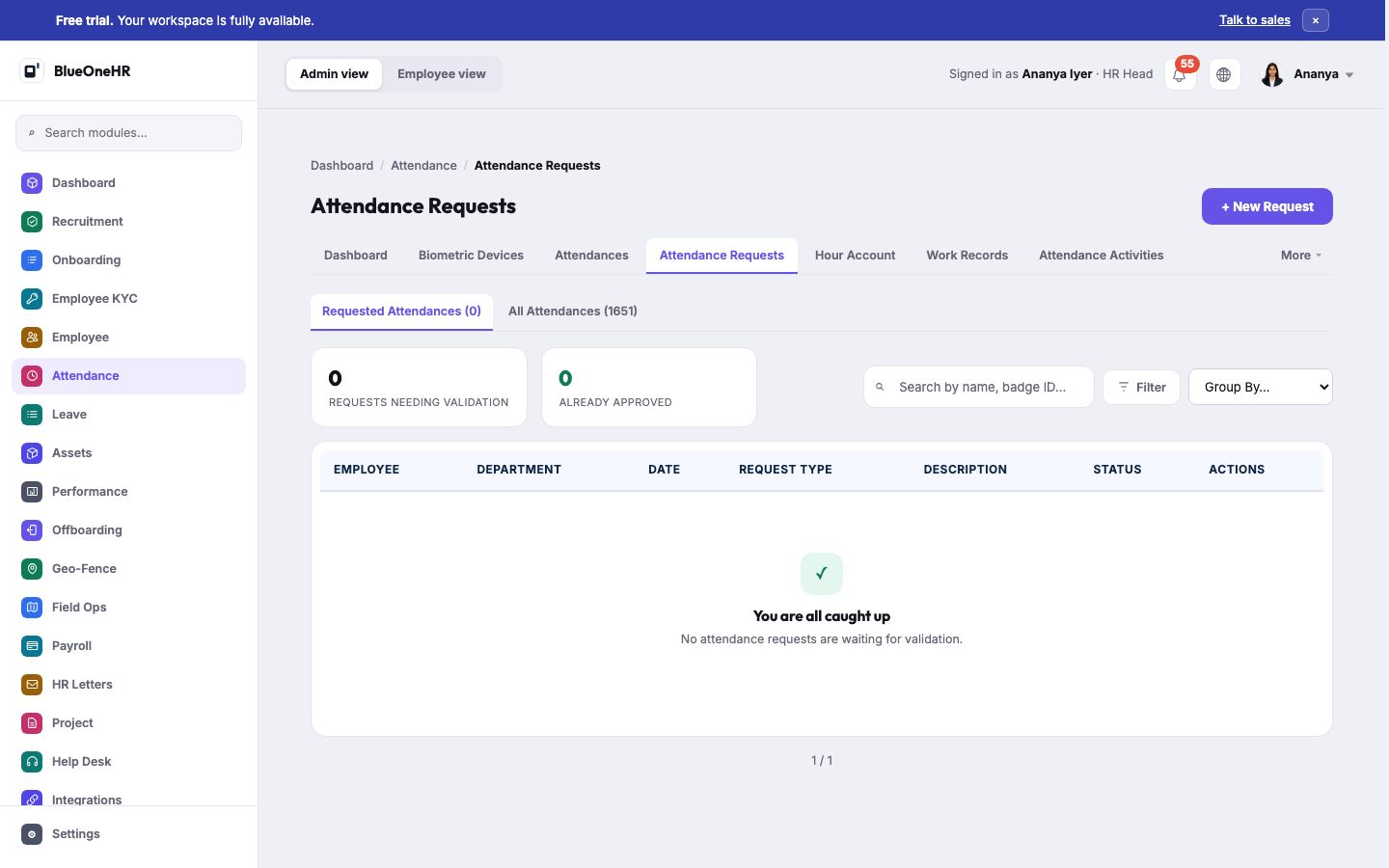
(Screenshot added 2026-09-14, verified live on demo.blueonehr.com — this page predates the screenshot pipeline built in the P0.5 pass. On this workspace, "All Attendances" showed 1,651 real daily records and 0 requests needed validation at the time of capture.)
Validating
Confirm a day and it moves from Pending validation to Validated. Until then it is neither approved nor rejected: it is simply unreviewed, and it should not be read as an absence.
Work through Attendances rather than waiting for employees to chase you. Most people never look at their own record until a payslip surprises them.
Handling correction requests
A request carries the employee's proposed times and, importantly, their reason.
Check it against Attendance Activities. The raw punches usually settle the question: a missing clock-out looks very different from a day with no punches at all.
Approving a request updates the daily record, and it can then be validated like any other day.
Before payroll closes
A short checklist that prevents most payroll queries:
- Clear Pending validation for the period.
- Clear outstanding Attendance Requests, including the ones you intend to reject.
- Decide the overtime awaiting approval.
- Spot-check Work Records for days marked Draft, which have not been finalised.
A word on bulk import
Bulk Import Attendance exists for migrations and for sites without a device. It writes real attendance records, so treat a bad import as you would a bad payroll run: check a small batch first.
No comments to display
No comments to display