
Roles and permissions
BlueOneHR does not have a fixed list of roles like "HR Manager" or "Payroll Officer" built in. Instead, access is built from two things: user groups, and employee permissions assigned directly to a person. Both live under Settings → General.
User groups
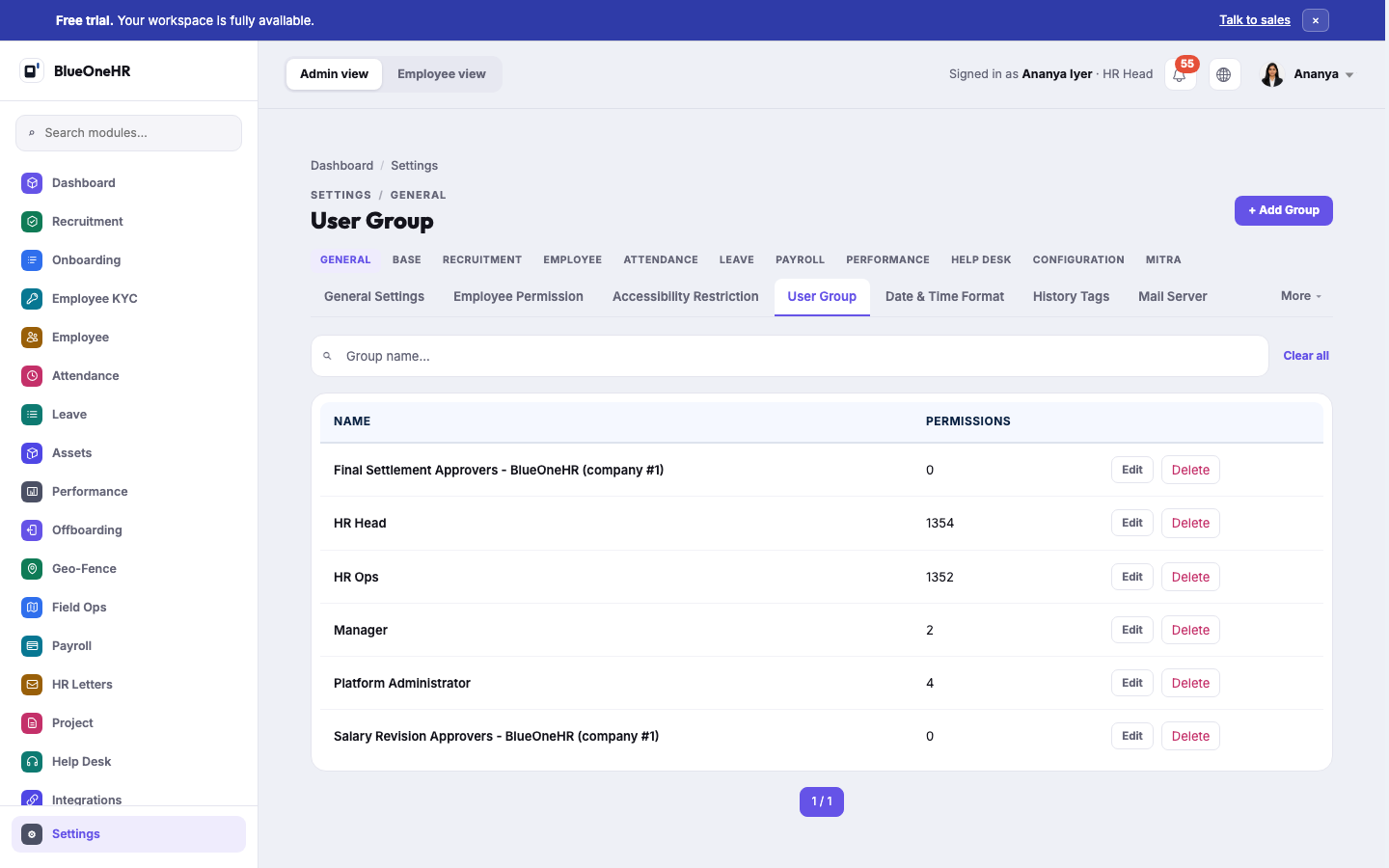
A user group is a named bundle of permissions — for example, everything a payroll administrator needs, or everything a line manager needs to approve their team's requests. Create the group once under Settings → General → User Group, then add employees to it.
Group membership is the normal way to manage access for more than a handful of people: change what the group can do, and everyone in it changes with it.
Direct employee permissions
Settings → General → Employee Permission grants or removes an individual permission for one specific employee, outside of any group. Use this for an exception — one person who needs a single extra permission — rather than as the everyday way of managing access. A permission granted this way does not appear anywhere in the group list, so it is easy to forget it is there; prefer a group for anything more than a temporary exception.
What a permission actually covers
Permissions are scoped to a module and an action — for instance, the ability to view the payroll register is separate from the ability to approve a payroll run, and both are separate from being able to see attendance records. Assign the narrowest set that lets someone do their job: a manager who should approve leave for their own team does not need the permission that lets them view payroll for the whole company.
Screenshot
No comments to display
No comments to display