
The employee directory
Employee → Employees is the single record of everyone in your organisation. Every other module — attendance, leave, payroll, performance — reads from this record rather than keeping its own copy, so an employee's department, job position or badge ID only needs to be correct in one place.
What you see
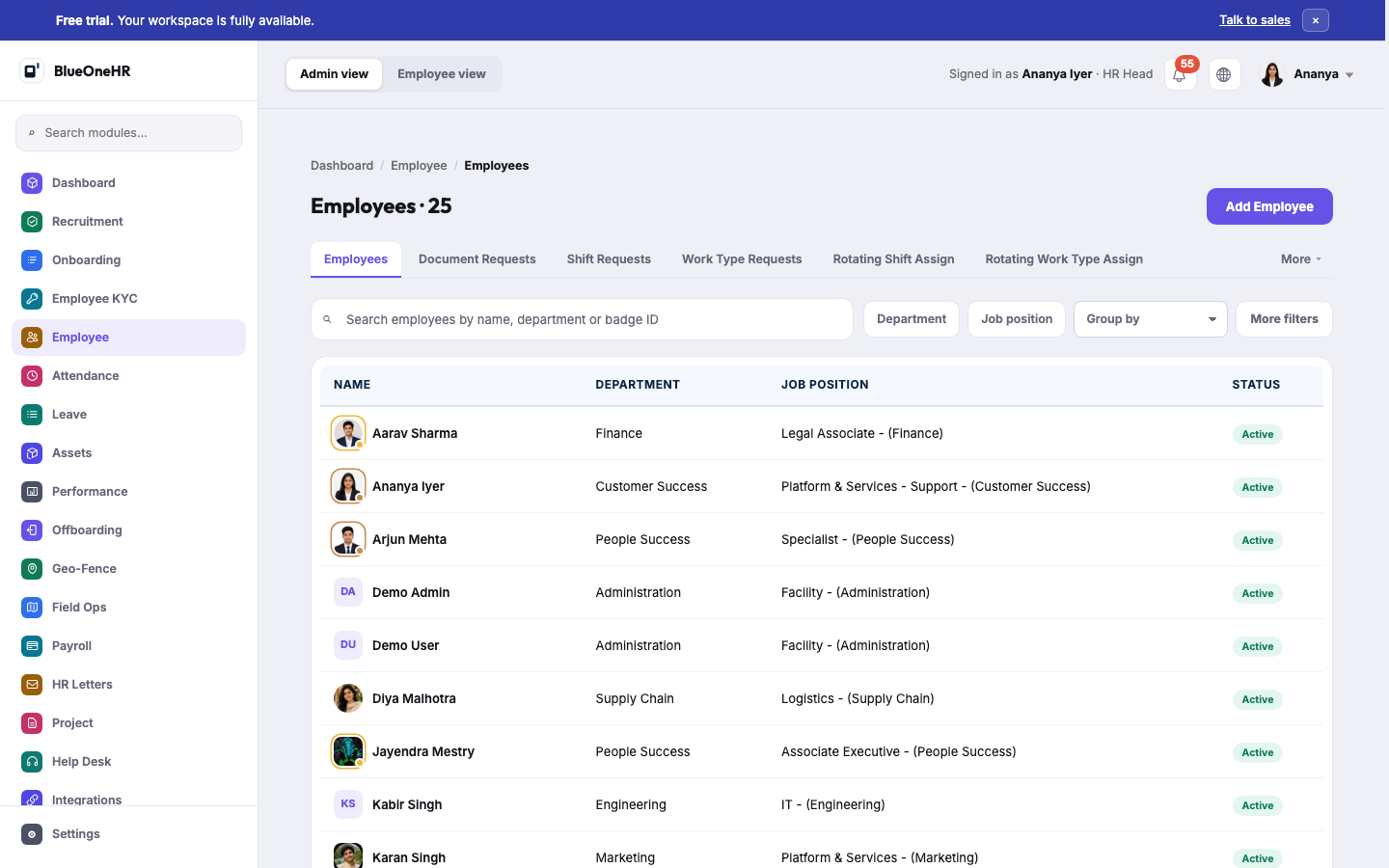
A searchable list, one row per employee, with their department, job position and status (Active, or otherwise). Above the list:
- Search by name, department or badge ID.
- Department and Job position filters, plus Group by and More filters for a narrower view.
- Tabs alongside the main list: Document Requests, Shift Requests, Work Type Requests, Rotating Shift Assign, and further screens under More. Each is its own queue of requests employees have raised, separate from the directory itself.
Opening a record
Selecting an employee opens their full profile: personal details, employment information, the documents they have been issued, and their history in the organisation. What you can change there depends on your role — see Roles and permissions. The tabs and the Edit page are described in An employee's profile.
Who can do what
Viewing and editing the directory is controlled the same way as every other module: through user groups and employee permissions, not through a special "HR mode". A person with the right permission sees the same Employees screen whether they are in HR, a manager, or an administrator; the difference is which actions are available to them once they are there.
No comments to display
No comments to display