
How payroll works
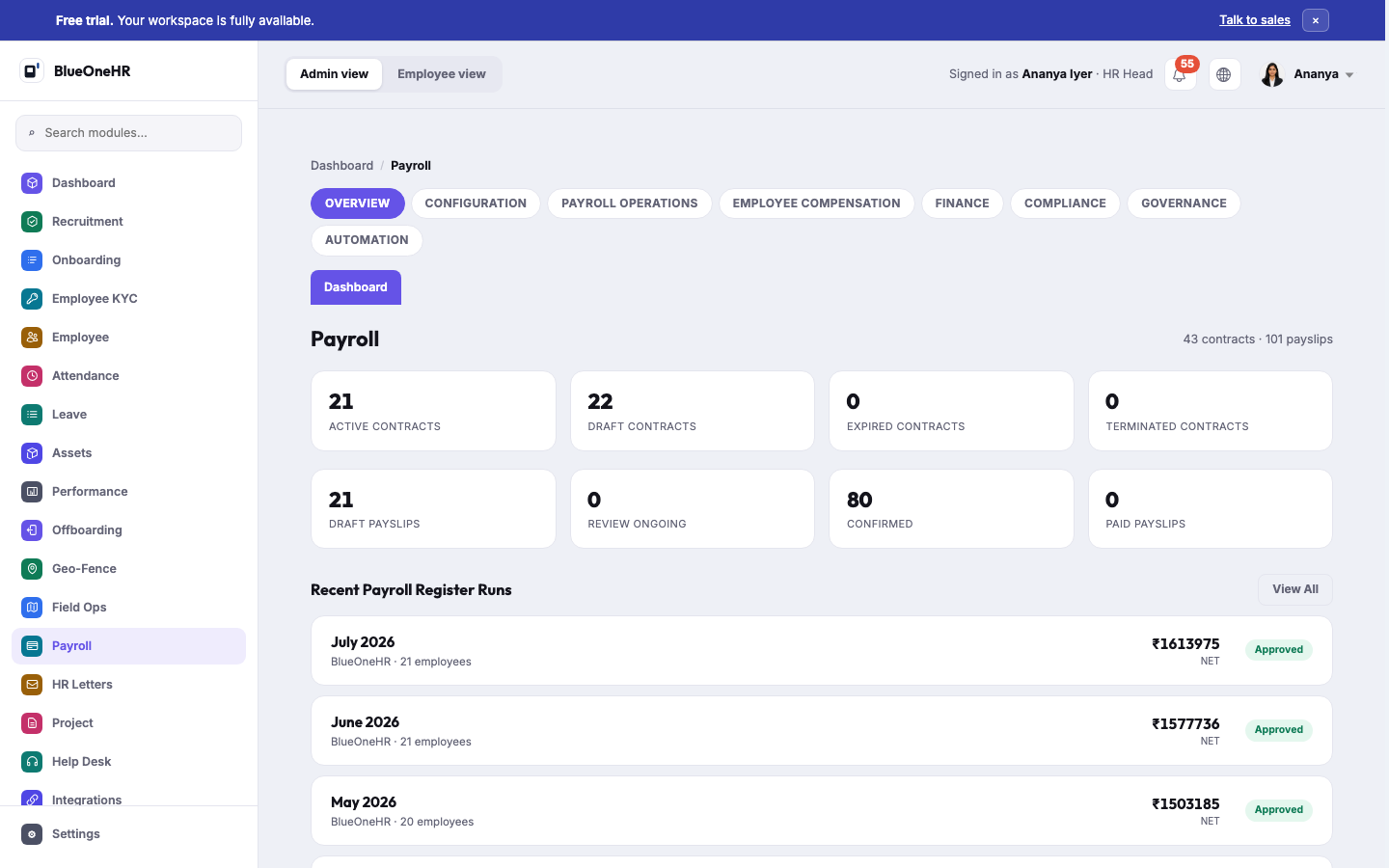
Payroll in BlueOneHR is organised into sections, each covering a different part of the cycle from setting up how people are paid through to producing payslips.
The sections
| Section | Covers |
|---|---|
| Overview | The payroll dashboard: contracts, payslip counts, and recent payroll runs. |
| Configuration | Contracts, Pay Grades, Pay Components, Salary Templates and Compensation Policies — the setup that decides how someone is paid. |
| Payroll Operations | The Payroll Register (running payroll), Payslips, Allowances, Deductions, Bonus, and Full & Final Settlements. |
| Employee Compensation | An employee's compensation as actually assigned, distinct from the templates and policies that define it. |
| Finance | Where payroll figures meet the organisation's books. |
| Compliance | Statutory obligations that arise from payroll. |
| Governance | Approval and oversight of payroll activity. |
| Automation | Scheduled and automated payroll tasks. |
The one fact that explains most payroll questions
Payroll only computes for an employee who has an active contract. An employee can exist in the directory, be assigned a department and a shift, and still not appear in a payroll run — because nobody created their contract, or the contract is still a draft. If an employee is missing from a run, check Contracts before anything else.
No comments to display
No comments to display